Starting the cluster:
~/src/triton/mongodb master*
❯ docker-compose -f local-compose.yml up -d
Starting mongodb_consul_1  ... done
Creating mongodb_mongodb_1 ... done
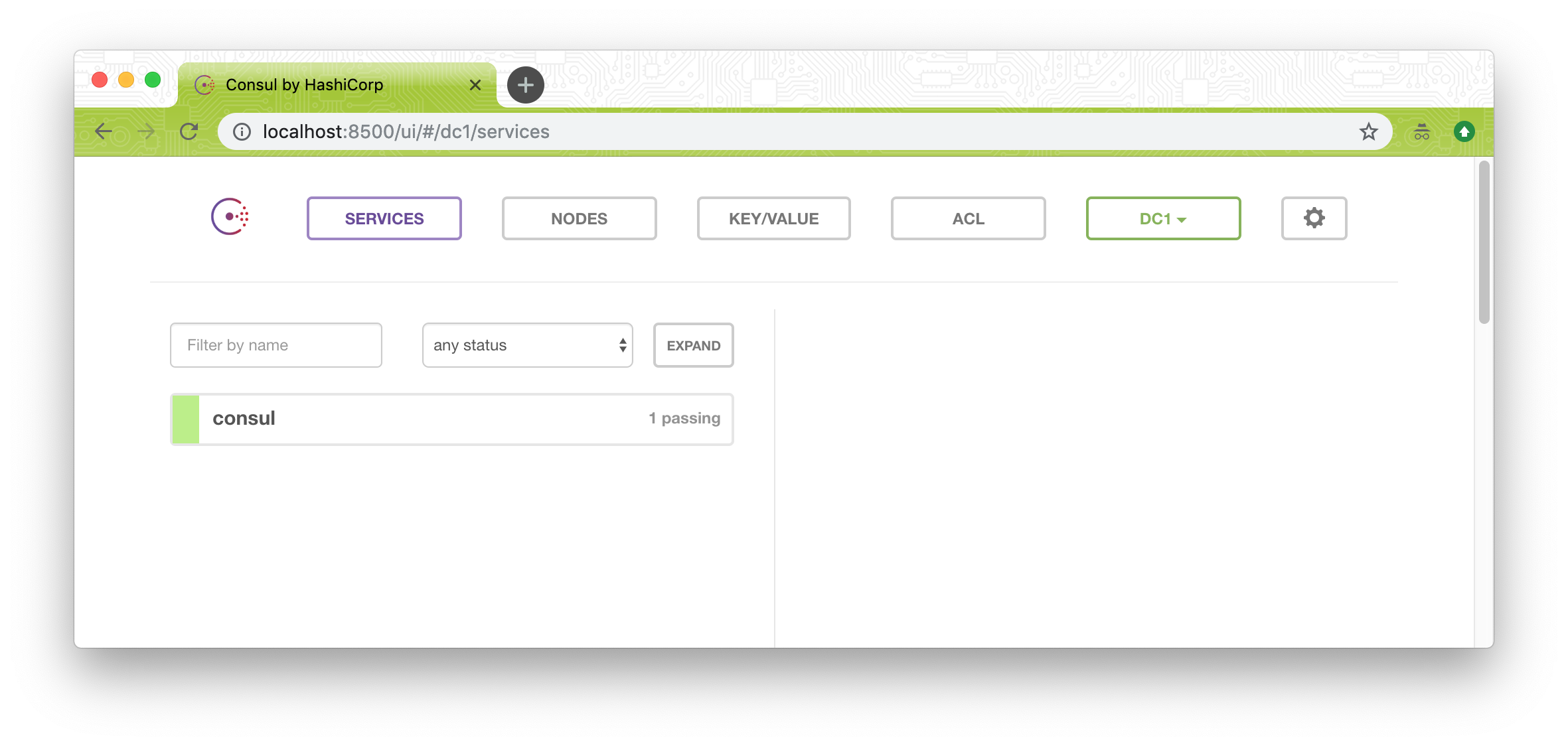
The consul ui shows no mongodb instance or anything about mongodb health:
Scaling up the number of mongodb instances, and quickly checking docker ps, I see that one mongodb instance is actually Up Less than a second 0.0.0.0:32805->27017/tcp:
~/src/triton/mongodb master*
❯ docker-compose -f local-compose.yml scale mongodb=3
WARNING: The scale command is deprecated. Use the up command with the --scale flag instead.
Starting mongodb_mongodb_1 ... done
Starting mongodb_mongodb_2 ... done
Creating mongodb_mongodb_3 ... done

~/src/triton/mongodb master*
❯ docker ps
CONTAINER ID        IMAGE                      COMMAND                  CREATED              STATUS                          PORTS                                                                                NAMES
1b5f60dc9baa        autopilotpattern/mongodb   "containerpilot --re…"   11 seconds ago       Up Less than a second           0.0.0.0:32805->27017/tcp                                                             mongodb_mongodb_3
b423ab4c86af        autopilotpattern/mongodb   "containerpilot --re…"   49 seconds ago       Restarting (0) 11 seconds ago                                                                                        mongodb_mongodb_2
a503407b6615        autopilotpattern/mongodb   "containerpilot --re…"   About a minute ago   Restarting (0) 29 seconds ago                                                                                        mongodb_mongodb_1
761c5fb4132c        consul:0.7.5               "docker-entrypoint.s…"   40 minutes ago       Up About a minute               8300-8302/tcp, 8400/tcp, 8301-8302/udp, 8600/tcp, 8600/udp, 0.0.0.0:8500->8500/tcp   mongodb_consul_1
But shortly after that turns to Restarting (0) 12 seconds ago with no port mapping like the rest of the mongodb instances:
~/src/triton/mongodb master*
❯ docker ps
CONTAINER ID        IMAGE                      COMMAND                  CREATED              STATUS                          PORTS                                                                                NAMES
1b5f60dc9baa        autopilotpattern/mongodb   "containerpilot --re…"   38 seconds ago       Restarting (0) 12 seconds ago                                                                                        mongodb_mongodb_3
b423ab4c86af        autopilotpattern/mongodb   "containerpilot --re…"   About a minute ago   Restarting (0) 10 seconds ago                                                                                        mongodb_mongodb_2
a503407b6615        autopilotpattern/mongodb   "containerpilot --re…"   2 minutes ago        Restarting (0) 3 seconds ago                                                                                         mongodb_mongodb_1
761c5fb4132c        consul:0.7.5               "docker-entrypoint.s…"   40 minutes ago       Up 2 minutes                    8300-8302/tcp, 8400/tcp, 8301-8302/udp, 8600/tcp, 8600/udp, 0.0.0.0:8500->8500/tcp   mongodb_consul_1
I never managed to see any change in the consul web ui.
Checking the docker logs I see:
~/src/triton/mongodb master*
❯ docker logs -f 1b5f60dc9baa
flag provided but not defined: -replSet
Usage of containerpilot:
  -config string
    	File path to JSON5 configuration file. Defaults to CONTAINERPILOT env var.
  -maintenance string
    	Toggle maintenance mode for a ContainerPilot process through its control socket.
	Options: '-maintenance enable' or '-maintenance disable'
  -out string
    	File path where to save rendered config file when '-template' is used.
	Defaults to stdout ('-').
  -ping
    	Check that the ContainerPilot control socket is up.
  -putenv value
    	Update environ of a ContainerPilot process through its control socket.
	Pass environment in the format: 'key=value'
  -putmetric value
    	Update metrics of a ContainerPilot process through its control socket.
	Pass metrics in the format: 'key=value'
  -reload
    	Reload a ContainerPilot process through its control socket.
  -template
    	Render template and quit.
  -version
    	Show version identifier and quit.
flag provided but not defined: -replSet
Usage of containerpilot:
  -config string
    	File path to JSON5 configuration file. Defaults to CONTAINERPILOT env var.
  -maintenance string
    	Toggle maintenance mode for a ContainerPilot process through its control socket.
	Options: '-maintenance enable' or '-maintenance disable'
  -out string
    	File path where to save rendered config file when '-template' is used.
	Defaults to stdout ('-').
  -ping
    	Check that the ContainerPilot control socket is up.
  -putenv value
    	Update environ of a ContainerPilot process through its control socket.
	Pass environment in the format: 'key=value'
  -putmetric value
    	Update metrics of a ContainerPilot process through its control socket.
	Pass metrics in the format: 'key=value'
  -reload
    	Reload a ContainerPilot process through its control socket.
  -template
    	Render template and quit.
  -version
    	Show version identifier and quit.
flag provided but not defined: -replSet
Usage of containerpilot:
[... continues repeating ...]
It looks like containerpilot is getting a -replSet flag that it doesn't know how to handle.
So, looking into the command that was run using docker ps --no-trunc:
CONTAINER ID                                                       IMAGE                      COMMAND                                                               CREATED             STATUS                          PORTS                                                                                NAMES
1b5f60dc9baafd840071b8e19845aff1f0f1eb8e7b6ba1254dd0209af2547d24   autopilotpattern/mongodb   "containerpilot --replSet=rs0"                                        5 hours ago         Restarting (0) 59 seconds ago                                                                                        mongodb_mongodb_3
b423ab4c86afceb206058d5504e22ca88ef56d3b2d4a0127a0fd435975bcf7af   autopilotpattern/mongodb   "containerpilot --replSet=rs0"                                        5 hours ago         Restarting (0) 37 seconds ago                                                                                        mongodb_mongodb_2
a503407b66152b2b81205ee8488e65fabee395e435e24c0710bd162171397009   autopilotpattern/mongodb   "containerpilot --replSet=rs0"                                        5 hours ago         Restarting (0) 23 seconds ago                                                                                        mongodb_mongodb_1
761c5fb4132cd6ecd654dce89f011b4514d7468546d02f1465420124a01384de   consul:0.7.5               "docker-entrypoint.sh agent -server -client=0.0.0.0 -bootstrap -ui"   5 hours ago         Up 5 hours                      8300-8302/tcp, 8400/tcp, 8301-8302/udp, 8600/tcp, 8600/udp, 0.0.0.0:8500->8500/tcp   mongodb_consul_1
I see "containerpilot --replSet=rs0". In the repo these are the referenced to --replSet:
|
exec: "mongod --replSet={{ if .REPLICASET }}{{ .REPLICASET }}{{ else }}joyent{{ end }}", |
-
In that last link (to local-compose.yml) I see --replSet=rs0. I wonder if this is the problem?
This is what my _env file looks like:
~/src/triton/mongodb master*
❯ cat _env
LOG_LEVEL=DEBUG
Do I need to add something there? The README.md was a bit confusing what needs to go in there.
I'll keep investigating to see if I can figure this out. Thanks.

Starting the cluster:
The consul ui shows no mongodb instance or anything about mongodb health:
Scaling up the number of mongodb instances, and quickly checking
docker ps, I see that one mongodb instance is actuallyUp Less than a second 0.0.0.0:32805->27017/tcp:But shortly after that turns to
Restarting (0) 12 seconds agowith no port mapping like the rest of the mongodb instances:I never managed to see any change in the consul web ui.
Checking the docker logs I see:
It looks like containerpilot is getting a
-replSetflag that it doesn't know how to handle.So, looking into the command that was run using
docker ps --no-trunc:I see
"containerpilot --replSet=rs0". In the repo these are the referenced to--replSet:mongodb/etc/containerpilot.json5
Line 32 in 23f6c30
mongodb/local-compose.yml
Line 5 in 23f6c30
In that last link (to
local-compose.yml) I see--replSet=rs0. I wonder if this is the problem?This is what my
_envfile looks like:Do I need to add something there? The
README.mdwas a bit confusing what needs to go in there.I'll keep investigating to see if I can figure this out. Thanks.