| id | samples-fasthttp | |||||||
|---|---|---|---|---|---|---|---|---|
| title | Sample CRUD App (Golang) | |||||||
| sidebar_label | FastHttp + Postgres | |||||||
| description | The following sample app showcases how to use FastHttp framework and the Keploy Platform. | |||||||
| tags |
|
|||||||
| keyword |
|
import InstallReminder from '@site/src/components/InstallReminder'; import ProductTier from '@site/src/components/ProductTier'; import SectionDivider from '@site/src/components/SectionDivider';
This guide walks you through generating tests and DB mocks for a sample CRUD app built with FastHttp and Postgres using Keploy.
git clone https://github.com/keploy/samples-go.git && cd samples-go/fasthttp-postgres
go mod downloadStart up the application and Keploy with a single command. Make sure to keep an eye on the two key flags:
-c: Command to run the app (e.g., docker compose up).
--container-name: The container name in the docker-compose.yml for traffic interception.
keploy record -c "docker compose up" --container-name "fasthttp_app" --build-delay 50
--build-delayadds a buffer (in seconds) to allow images to build/pull and services to start before Keploy begins interception. If your services are already up, you can omit it.
If you're seeing logs that resemble the ones below, you're on the right track:
<img src="/docs/img/go-fasthttp-postgres-record.png" alt="Sample Keploy Record" width="100%" style={{ borderRadius: '5px' }} />
Make API calls using cURL, Postman, or Hoppscotch. Keploy captures these requests to automatically generate test suites with test cases and data mocks.
curl --request POST \
--url http://localhost:8080/authors \
--header 'content-type: application/json' \
--data '{"name":"Author Name"}'
This API call generates a test case along with the required mocks. You can find the generated files in the Keploy directory, including test-1.yml and mocks.yml.
You can continue by making additional API calls to generate more test cases.
curl --request GET --url http://localhost:8080/booksTime to run the testcases which were generated from the previous API calls..
keploy test -c "docker compose up" --container-name "fasthttp_app" --build-delay 50 --delay 10The
--delayflag specifies the time (in seconds) Keploy waits before running the test cases after starting the application.
If you're seeing logs that resemble the ones below, you're on the right track:
<img src="/docs/img/go-fasthttp-postgres-test1.png" alt="Sample Keploy Replay" width="100%" style={{ borderRadius: '5px' }} />
When all is said and done, your test results should look a little something like this:
<img src="/docs/img/fasthttp-postgres-test.png" alt="Sample Keploy Replay" width="100%" style={{ borderRadius: '5px' }} />
Final thoughts? Dive deeper! Try different API calls, tweak the DB response in the mocks.yml, or fiddle with the request or response in test-x.yml. Run the tests again and see the magic unfold!
Congrats on the journey so far! You've seen Keploy's power, flexed your coding muscles, and had a bit of fun too! Now, go out there and keep exploring, innovating, and creating! Remember, with the right tools and a sprinkle of fun, anything's possible.
Happy coding! ✨👩💻👨💻✨
This guide walks you through generating tests and DB mocks for a sample CRUD app built with FastHttp and Postgres using Keploy.
git clone https://github.com/keploy/samples-go.git && cd samples-go/fasthttp-postgres
go mod download
We'll be running our sample application right on Linux, but just to make things a tad more thrilling, we'll have the database (Postgres) chill on Docker. Ready? Let's get the party started! 🎉
Note: This application requires the following database environment variables to be set in order to run correctly.
Create a .env file in this directory with the following values:
DB_HOST=localhost
DB_PORT=5432
DB_USER=postgres
DB_PASSWORD=password
DB_NAME=db
docker compose up postgresgo build -o appkeploy record -c "./app"Keep an eye out for the -c flag! It's the command charm to run the app. Whether you're using go run main.go or the binary path like ./app, it's your call.
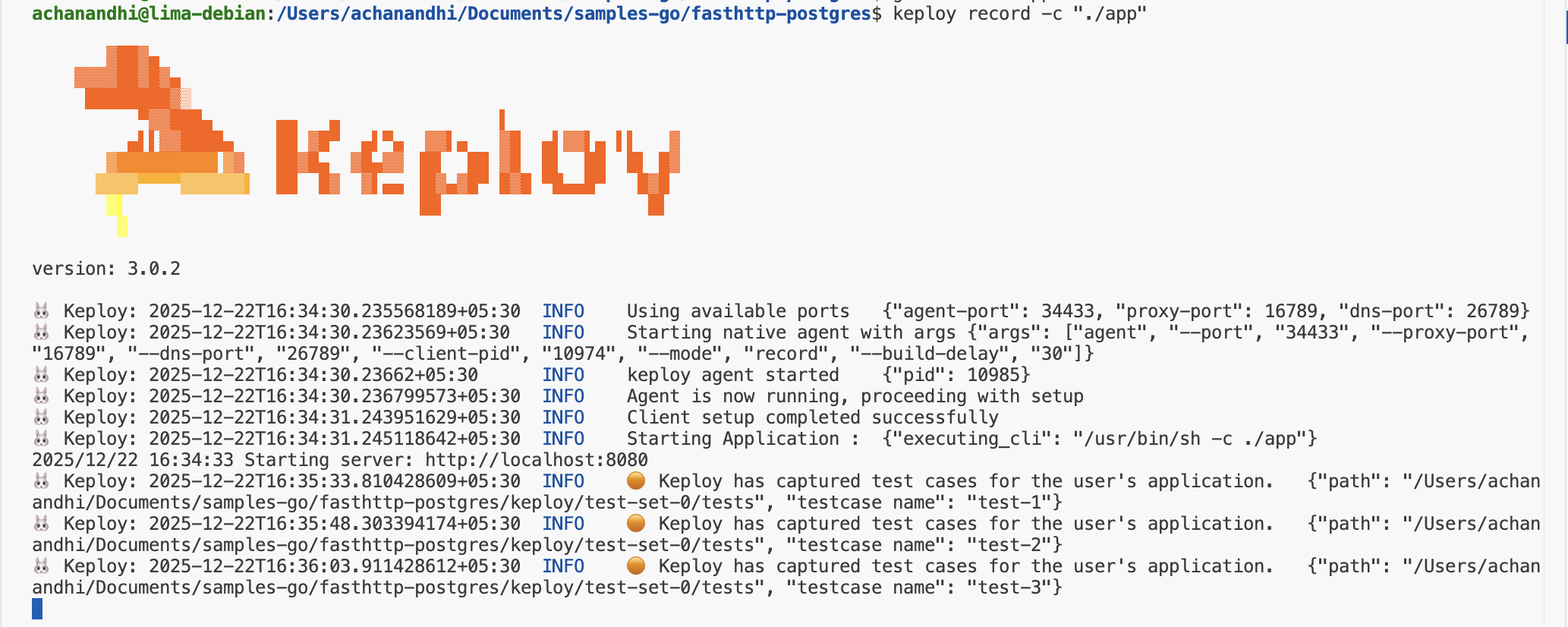
If you're seeing logs that resemble the ones below, you're on the right track:
<img src="https://keploy-devrel.s3.us-west-2.amazonaws.com/Keploy_record_fastapi_golang.png" alt="Sample Keploy Record" width="100%" style={{ borderRadius: '5px' }} />
Alright! With the app alive and kicking, let's weave some test cases. Making some API calls! Postman, Hoppscotch,
or even the classic curl - take your pick!
Time to create some users and books:
curl -X POST -H "Content-Type: application/json" -d '{"name":"Author Name"}' http://localhost:8080/authors
curl -X POST -H "Content-Type: application/json" -d '{"title":"Book Title","author_id":1}' http://localhost:8080/bookscurl -i http://localhost:8080/booksLook at you go! With a few simple API calls, you've crafted test cases with mocks! Peek into the Keploy directory and behold the freshly minted test-1.yml and mocks.yml.
Time to put it all to the test:
keploy test -c "./app" --delay 5That
--delayflag? Just a little pause (in seconds) to let your app catch its breath before the test cases start rolling in.
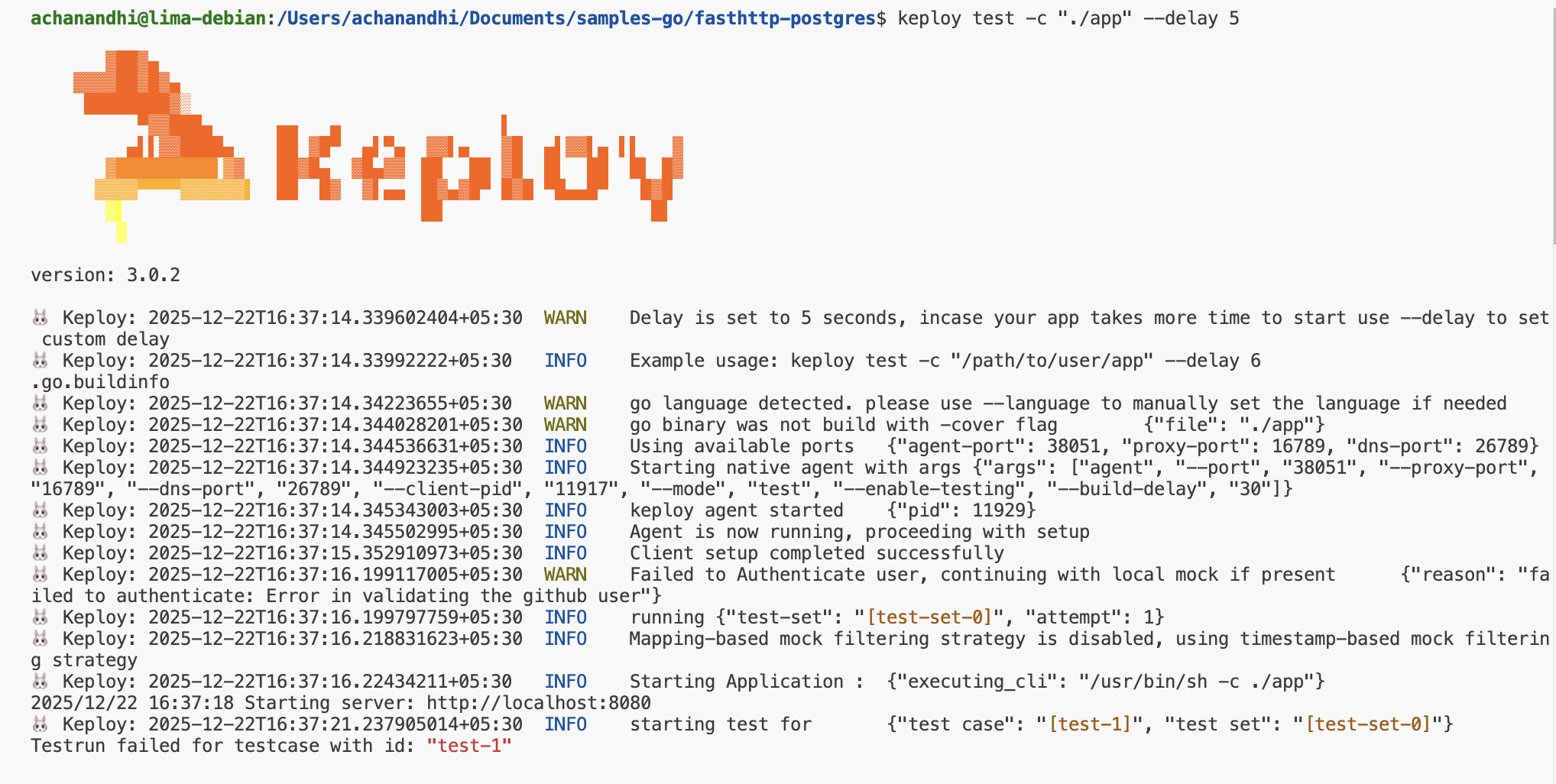
When all is said and done, your test results should look a little something like this:
<img src="https://keploy-devrel.s3.us-west-2.amazonaws.com/keploy_replay_test_fastapi_golang.png" alt="Sample Keploy Replay" width="100%" style={{ borderRadius: '5px' }} />
Final thoughts? Dive deeper! Try different API calls, tweak the DB response in the mocks.yml, or fiddle with the request or response in test-x.yml. Run the tests again and see the magic unfold!
Congrats on the journey so far! You've seen Keploy's power, flexed your coding muscles, and had a bit of fun too! Now, go out there and keep exploring, innovating, and creating! Remember, with the right tools and a sprinkle of fun, anything's possible
Happy coding! ✨👩💻👨💻✨