Releases: FLOWORK-gif/FLOWORK
FLOWORK_installer


Flowork Synapse
Weaving Intelligence into Automation.
An open-source, visual workflow platform to build complex automations with AI. No-code & Low-code friendly.










📜 Table of Contents (Click to Expand)
👋 Welcome to Flowork!
Ever felt stuck in a loop of repetitive digital tasks? Imagine building powerful automations as easily as drawing a flowchart. Flowork is that imagination brought to life.
Flowork is a new generation Visual Workflow Orchestration Platform designed to transform your ideas into elegant, efficient automations on a digital canvas. It's not just a tool; it's a complete ecosystem for limitless automation creativity, built for everyone from absolute beginners to expert developers.
🤔 What is Flowork?
Flowork is an open-core platform where you no longer "write" automation; you "design" it. By connecting nodes on a canvas, you can build sophisticated workflows that handle:
- 🤖 AI-powered tasks (content generation, image creation, decision making)
- 🌐 Advanced web scraping and browser automation
- 📂 File and data management
- ⏰ Complex scheduling and event-driven triggers
- ...and much more.
The platform is 100% portable and bundled with its own Python environment. No complex setup required. Just download, extract, and run.
✨ Feature Showcase
Here are some of the powerful features that make Flowork a game-changer:
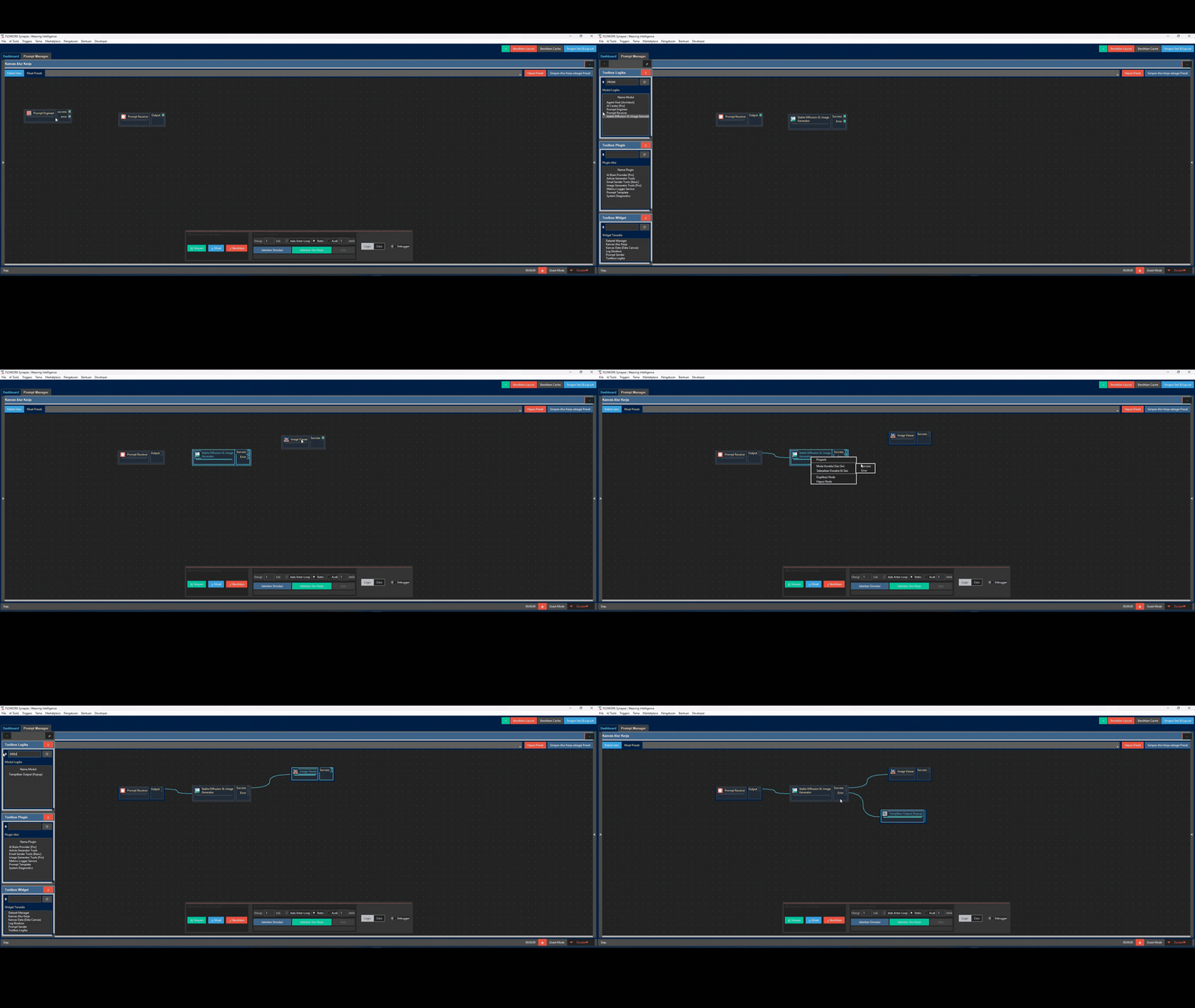
🎨 Intuitive Visual Editor: Design, Don't Code
Forget complex syntax. Build logic by dragging and connecting nodes. Your workflows become easy to understand, debug, and share.
🤖 AI Architect: Your Wish is its Command
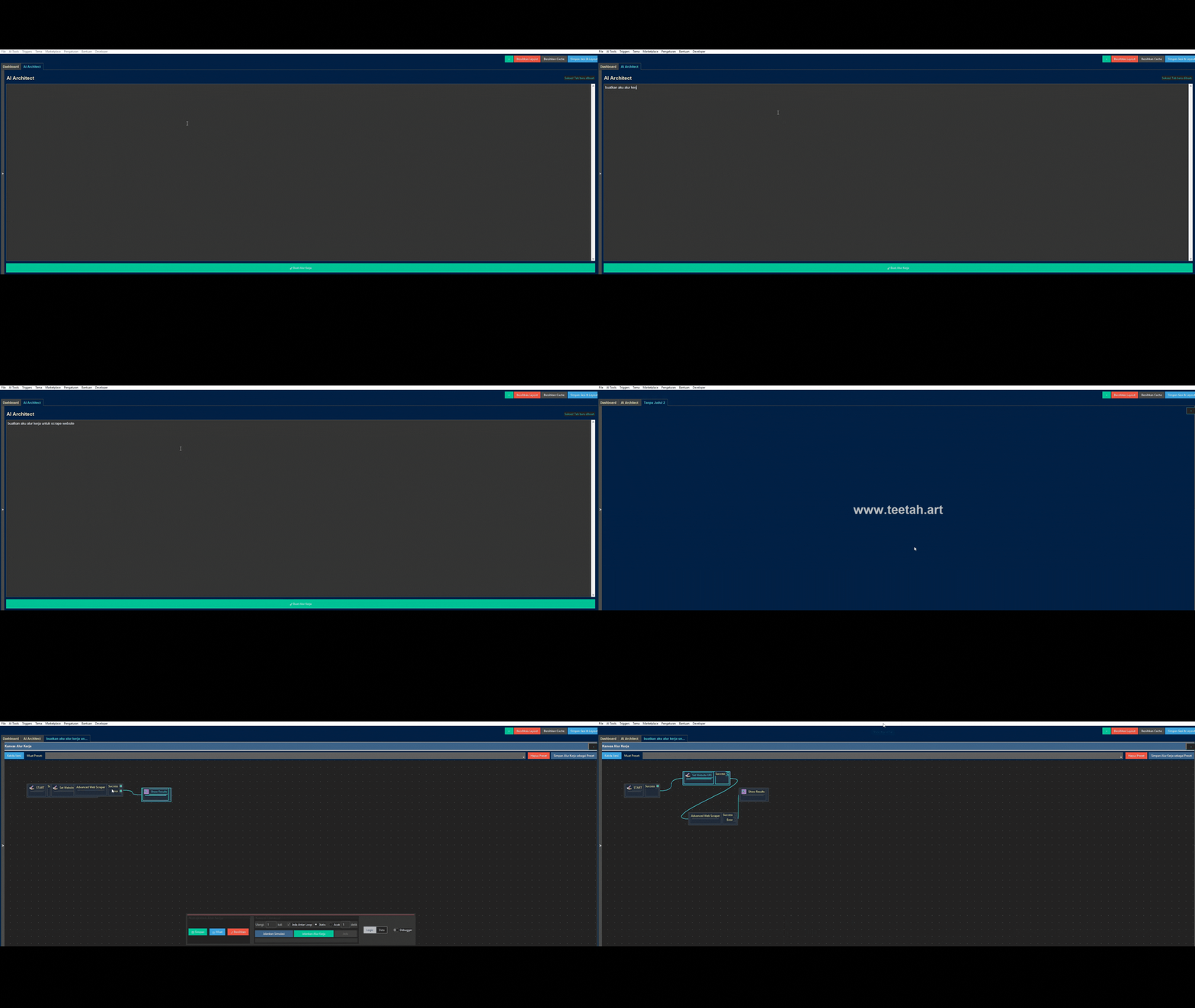
This is where the magic happens. Describe your goal in plain language (e.g., "Scrape the latest news from detik.com and save the titles to a text file"), and the AI Architect will automatically design and draw the complete workflow for you.
🧠 AI Trainer & Model Factory: Build Your Own Custom AI
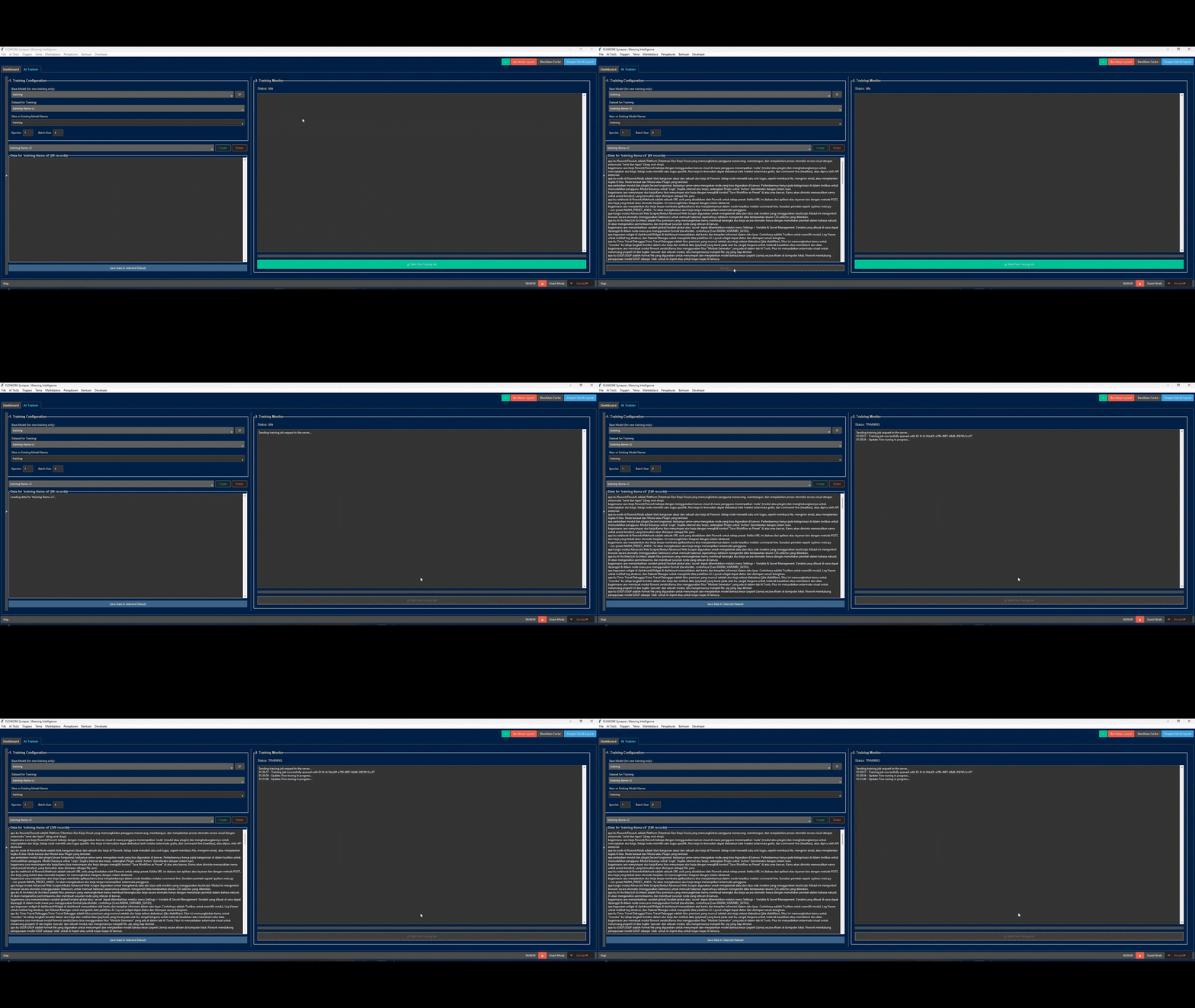
Don't just use AI, create it. Flowork empowers you to fine-tune local AI models on your own data.
- AI Trainer: Feed a base model with your data (e.g., customer service chats) to make it an expert on any topic.
- Model Factory: Convert your newly trained model into the highly efficient GGUF format to run at blazing speeds, right on your computer.
🕵️ Agent Host: Autonomous AI Agents at Your Service
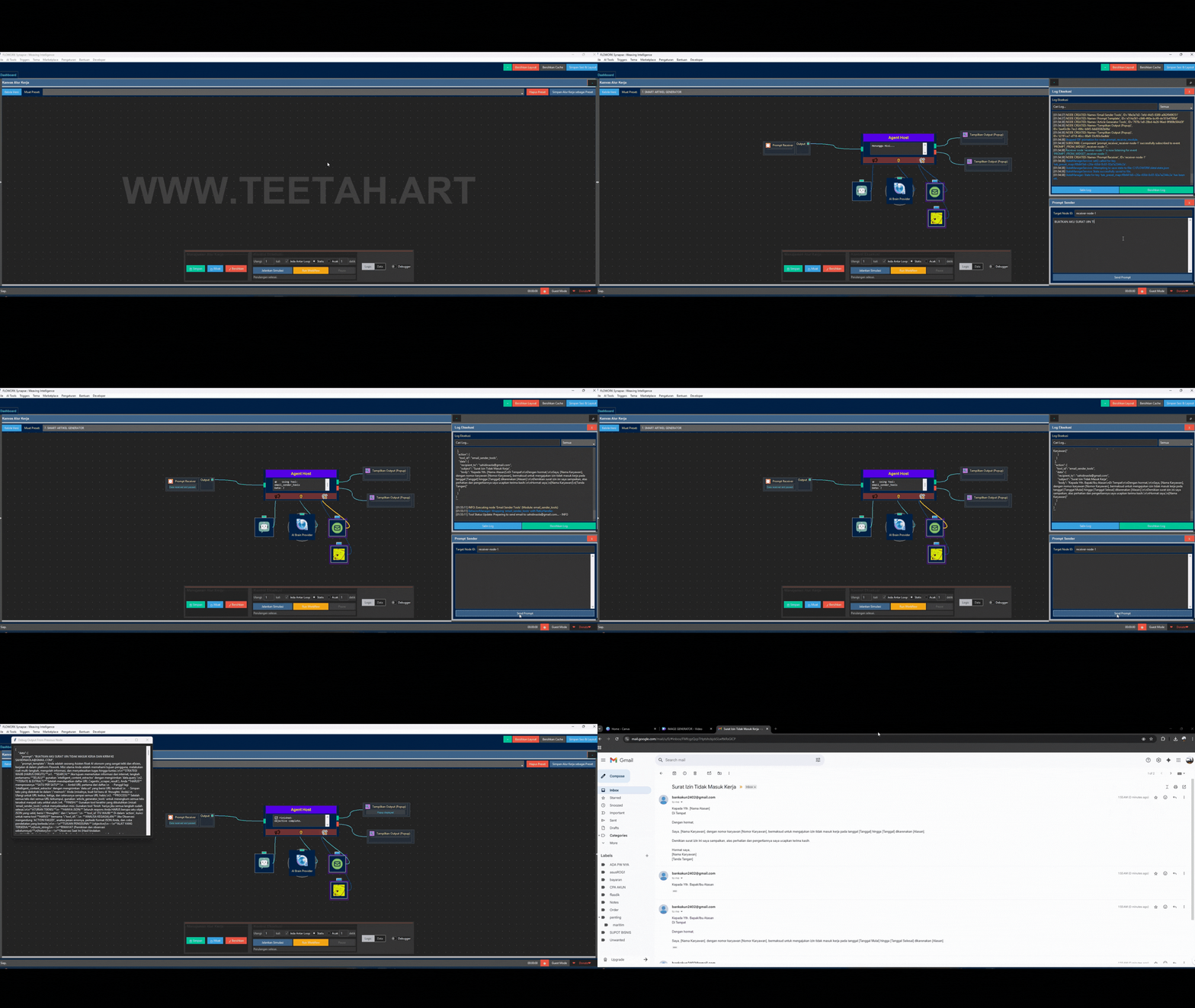
Deploy an autonomous agent to complete high-level missions. Simply give your agent:
- A Brain: Any AI model (local or cloud-based).
- Tools: Other Flowork modules (like Web Scraper, Email Sender) as its "hands".
- A Mission: A high-level objective (e.g., "Research the top 3 AI trends and email me a summary").
The Agent will then autonomously plan and execute steps, using its tools to achieve the goal.
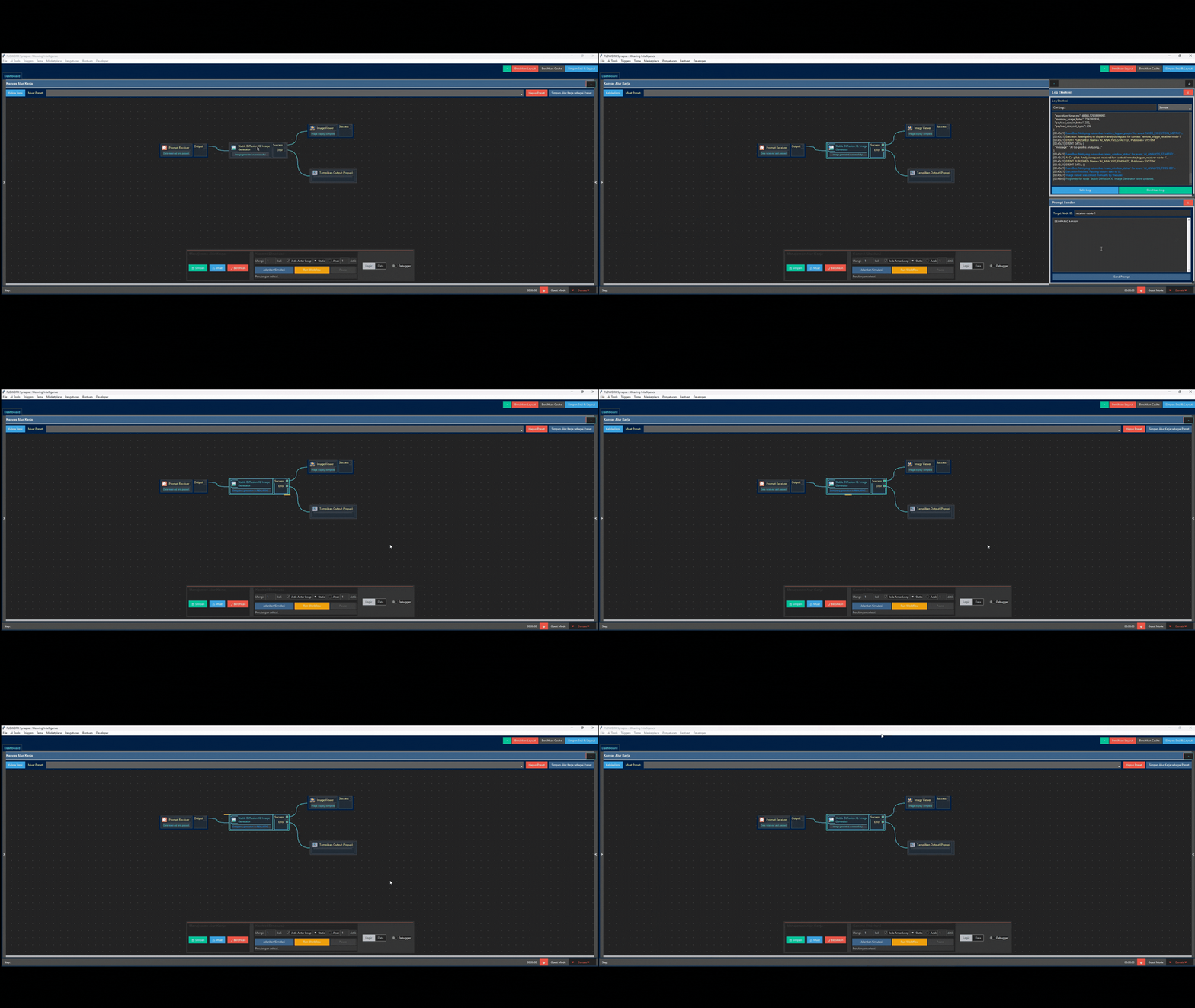
✨ AI Image Generator (Stable Diffusion)
Create stunning images directly from your workflows. Just provide a text prompt, and Flowork will use a locally-run AI model like Stable Diffusion to generate high-quality images, perfect for automating content creation.
🧩 And So Much More...
- Module Factory: Visually design the UI and logic for new modules, and Flowork generates the Python code for you.
- Event-Driven Triggers: Run workflows based on schedules (Cron), file changes, or even when specific applications (like Photoshop) are opened or closed.
- Nano-Modular Core: Modify the application's core logic visually, as some of its own services are built with Flowork itself!
🏛️ Why Choose Flowork? (Core Philosophy)
Flowork is built on a few simple but powerful ideas:
- 🎨 Visual-First: Complex logic is easier to manage visually.
- 🧩 Total Modularity: Every function is an independent component, making the system stable and endlessly extensible.
- 🧠 AI as a First-Class Citizen: AI isn't an afterthought; it's woven into the core of the platform.
- 🔓 Open & Accessible: Built on an open-core model, ensuring the foundational tools are available to everyone.
🚀 Get Started in 60 Seconds
Flowork is 100% portable. No installation needed.
- Download the
.exefrom the button above. - Run
FLOWORK.exe. - Automate!
The application will set up its own environment on the first run. It's that simple.
🎓 Quick Tutorial: Hello, Automation!
Create your first workflow in under a minute:
- Drag & Drop the Start Node: From the Logic Modules toolbox, drag
Set Variables / STARTonto the canvas. - Drag & Drop the Popup Node: Drag
Tampilkan Output (Popup)onto the canvas. - Connect Them: Click and drag from the small square on the right side of the START node to the left side of the Popup node. A green line will appear.
- Run! Click the "Run Workflow" button.
A popup will appear showing the initial data. That's it! You've just built and run your first automation.
💖 Join the Community & Support the Project
Flowork is developed with passion. Your support and feedback are what keep it going!
| Channel | Description |
|---|---|
|
Telegram Channel Get the latest updates, news, and release announcements. |
|
Telegram Group Join the discussion, ask questions, and share your projects. |
| <a href="https://www.youtube.com/playlist?list=PLATUnn... |
COMPONEN PART 2
FLOWORK_COMPONEN_2

feat: full project sync via uploader tool
COMPONEN
FLOWORK_COMPONEN

feat: full project sync via uploader tool
FLOWORK - Weaving Intelligence into Automation.
Flowork Synapse
Weaving Intelligence into Automation.
An open-source, visual workflow platform to build complex automations with AI. No-code & Low-code friendly.
📜 Table of Contents (Click to Expand)
👋 Welcome to Flowork!
Ever felt stuck in a loop of repetitive digital tasks? Imagine building powerful automations as easily as drawing a flowchart. Flowork is that imagination brought to life.
Flowork is a new generation Visual Workflow Orchestration Platform designed to transform your ideas into elegant, efficient automations on a digital canvas. It's not just a tool; it's a complete ecosystem for limitless automation creativity, built for everyone from absolute beginners to expert developers.
🤔 What is Flowork?
Flowork is an open-core platform where you no longer "write" automation; you "design" it. By connecting nodes on a canvas, you can build sophisticated workflows that handle:
- 🤖 AI-powered tasks (content generation, image creation, decision making)
- 🌐 Advanced web scraping and browser automation
- 📂 File and data management
- ⏰ Complex scheduling and event-driven triggers
- ...and much more.
The platform is 100% portable and bundled with its own Python environment. No complex setup required. Just download, extract, and run.
✨ Feature Showcase
Here are some of the powerful features that make Flowork a game-changer:
🎨 Intuitive Visual Editor: Design, Don't Code
Forget complex syntax. Build logic by dragging and connecting nodes. Your workflows become easy to understand, debug, and share.
🤖 AI Architect: Your Wish is its Command
This is where the magic happens. Describe your goal in plain language (e.g., "Scrape the latest news from detik.com and save the titles to a text file"), and the AI Architect will automatically design and draw the complete workflow for you.
🧠 AI Trainer & Model Factory: Build Your Own Custom AI
Don't just use AI, create it. Flowork empowers you to fine-tune local AI models on your own data.
- AI Trainer: Feed a base model with your data (e.g., customer service chats) to make it an expert on any topic.
- Model Factory: Convert your newly trained model into the highly efficient GGUF format to run at blazing speeds, right on your computer.
🕵️ Agent Host: Autonomous AI Agents at Your Service
Deploy an autonomous agent to complete high-level missions. Simply give your agent:
- A Brain: Any AI model (local or cloud-based).
- Tools: Other Flowork modules (like Web Scraper, Email Sender) as its "hands".
- A Mission: A high-level objective (e.g., "Research the top 3 AI trends and email me a summary").
The Agent will then autonomously plan and execute steps, using its tools to achieve the goal.
✨ AI Image Generator (Stable Diffusion)
Create stunning images directly from your workflows. Just provide a text prompt, and Flowork will use a locally-run AI model like Stable Diffusion to generate high-quality images, perfect for automating content creation.
🧩 And So Much More...
- Module Factory: Visually design the UI and logic for new modules, and Flowork generates the Python code for you.
- Event-Driven Triggers: Run workflows based on schedules (Cron), file changes, or even when specific applications (like Photoshop) are opened or closed.
- Nano-Modular Core: Modify the application's core logic visually, as some of its own services are built with Flowork itself!
🏛️ Why Choose Flowork? (Core Philosophy)
Flowork is built on a few simple but powerful ideas:
- 🎨 Visual-First: Complex logic is easier to manage visually.
- 🧩 Total Modularity: Every function is an independent component, making the system stable and endlessly extensible.
- 🧠 AI as a First-Class Citizen: AI isn't an afterthought; it's woven into the core of the platform.
- 🔓 Open & Accessible: Built on an open-core model, ensuring the foundational tools are available to everyone.
🚀 Get Started in 60 Seconds
Flowork is 100% portable. No installation needed.
- Download the
.exefrom the button above. - Run
FLOWORK.exe. - Automate!
The application will set up its own environment on the first run. It's that simple.
🎓 Quick Tutorial: Hello, Automation!
Create your first workflow in under a minute:
- Drag & Drop the Start Node: From the Logic Modules toolbox, drag
Set Variables / STARTonto the canvas. - Drag & Drop the Popup Node: Drag
Tampilkan Output (Popup)onto the canvas. - Connect Them: Click and drag from the small square on the right side of the START node to the left side of the Popup node. A green line will appear.
- Run! Click the "Run Workflow" button.
A popup will appear showing the initial data. That's it! You've just built and run your first automation.
💖 Join the Community & Support the Project
Flowork is developed with passion. Your support and feedback are what keep it going!
| Channel | Description |
|---|---|
|
Telegram Channel Get the latest updates, news, and release announcements. |
|
Telegram Group Join the discussion, ask questions, and share your projects. |
| <a href="https://www.youtube.com/playlist?list=PLATUnnrT5igDXC... |
INSTALLER
Full Changelog: https://github.com/FLOWORK-gif/FLOWORK/commits/FLOWORK