The Living Reference for Your Codebase — An AI agent that traces the "wires" of your project to build, update, and chat with your documentation.


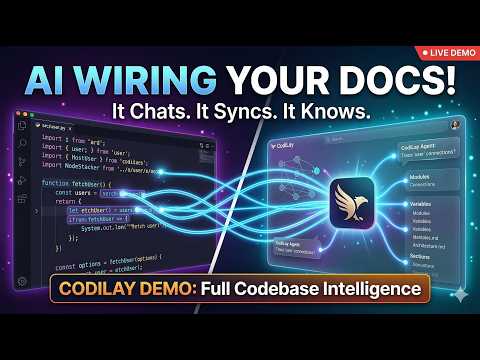
CodiLay is not just a static documentation generator; it's an agentic documentary researcher. It reads your code, understands module connections via The Wire Model, and maintains a persistent, searchable knowledge base that you can browse via a Web UI or talk to through an interactive Chat.
Install from PyPI (Recommended)
# Basic installation
pip install codilay

# Install with all features (Web UI + Watch mode)
pip install "codilay[all]"

# For a global CLI installation (recommended)
pipx install codilay
Install from Source
# Clone the repository
git clone https://github.com/HarmanPreet-Singh-XYT/codilay.git
cd codilay

# Install with Web UI support
pip install -e ".[serve]"

# Install with Watch mode support
pip install -e ".[watch]"

# Install everything (Web UI + Watch mode)
pip install -e ".[all]"Forget about exporting API keys every time. Run the setup wizard to securely store your keys.
codilay setupRunning codilay with no arguments opens the Interactive Control Center, a premium terminal-based dashboard that lets you manage projects, configurations, and audits without memorizing flags.
Why use flags when you can have a full-blown dashboard in your terminal?
- Project Switcher: Quickly jump between documented codebases.
- Provider Wizard: Configure keys and models with real-time validation.
- Live Monitoring: Track active scans and resource usage.
- Audit Console: Launch security and architecture scans from a central menu.
- History Browser: View past conversations and export logs.
- Smart Resume Detection: When choosing "Document a codebase", CodiLay peeks at the existing state file and shows an incomplete-run banner with file counts before you confirm — so you know you're resuming, not starting fresh.
The Tools & Automation submenu (press 9) now includes:
- [12] Commit documentation — interactive prompts to document the latest commit, a specific hash, the last N commits, a range, or the full repo history (with optional metrics).
- [13] Git hooks — install or remove the post-commit hook that auto-generates commit docs in the background after every
git commit.
CodiLay treats every import, function call, and variable reference as a Wire.
- Open Wires: Unresolved references that the agent is "hunting" for.
- Closed Wires: Successfully traced connections that form segments of the dependency graph.
Before burning tokens, CodiLay performs a high-speed Triage Phase. It classifies files into:
- Core: Full architectural analysis and documentation.
- Skim: Metadata and signatures only (saves tokens on simple utilities).
- Skip: Ignores boilerplate, generated code, and platform-specific noise.
CodiLay is repo-aware. If you've only changed 2 files in a 500-file project, codilay . will:
- Detect the delta via Git.
- Invalidate only the affected documentation sections.
- Re-open wires related to the changed code.
- Re-calculate the local impact to keep your
CODEBASE.mdcurrent.
Ask questions about your codebase using codilay chat ..
- RAG + Deep Search: It uses your documentation for fast answers but can "escalate" to reading source code for implementation details.
- Memory: The agent remembers your preferences and facts about the codebase across sessions.
- Promote to Doc: Found a great explanation in chat? Use
/promoteto turn the AI's answer into a permanent section of your documentation.
Conversations are a tree, not a list. Every message is a node; editing a past message creates a new branch from that point while fully preserving the original thread. You can navigate, compare, and continue any branch independently.
msg_001  "How does the payment service work?"
msg_002  "The payment service handles..."
msg_003  "What about retries?"
    │
    ├── main branch (original)
    │   msg_004  "Retries use exponential backoff..."
    │   msg_005  "How long are the delays?"
    │
    └── webhooks branch (created by editing msg_003)
        msg_006  "Retries are separate from webhooks..."
        msg_007  "Where are webhooks handled?"
The LLM context for each branch only includes its own ancestry — edits on a sibling branch are invisible. Old conversations are migrated automatically on first read.
Every conversation has a visibility setting:
| Visibility | Who sees it |
|---|---|
private |
Only the conversation owner |
team |
All team members |
The Web UI history sidebar splits conversations into Private and Team sections. Set your username once (stored in the browser) and the filter applies automatically. A conversation can start private and be promoted to team-visible at any time.
codilay serve .- Layer 1: The Reader: High-fidelity rendering of your sections and graph.
- Layer 2: The Chatbot: Quick Q&A from documented context — with branch-aware history (only the active branch's messages are sent to the LLM).
- Layer 3: The Deep Agent: Reaches into source code to verify facts.
- Layer 4: Audit Lab: Browse past audit reports and run new ones directly from the web interface.
- Commits tab: Browse all commit docs, generate new ones (with optional context and metrics), and read full docs with visual quality score bars.
Branch navigation in the Web UI:
- An Edit button appears on hover over any past user message — clicking it opens an inline textarea; submitting creates a new branch.
- A branch indicator button in the chat toolbar shows the active branch name and total count; clicking it opens a switcher to jump between branches.
- The history dropdown groups conversations by Private and Team, shows branch count per conversation, and lets you set/change your username.
Run CodiLay in the background and automatically update documentation when files change.
- Debounced Watcher: Uses filesystem events (via watchdog) to auto-update on save.
- Real-time Progress Display: High-resolution progress bars for file processing, triage, and LLM calls.
- Eager Resolution: Wires are closed the moment a file is processed, giving you instant graph feedback.
# Watch the current directory, auto-update on save
codilay watch .

# Custom debounce delay (5 seconds)
codilay watch . --debounce 5

# Verbose output for debugging
codilay watch . -vA VSCode extension that surfaces documentation inline alongside the file you're editing. Requires a running codilay serve . server.
Sidebar panels (Activity Bar):
- Documentation Sections — tree view of all documented sections; click any to open
- Dependencies — wires for the currently active file, auto-updates as you switch files
- Team Knowledge — collapsible Facts / Decisions / Conventions pulled from team memory
Status bar: $(book) N sections · N open wires in the bottom-right, refreshes every 60 seconds.
Commands (Command Palette):
| Command | What it does |
|---|---|
CodiLay: Show Documentation Panel |
Open full CODEBASE.md in a side panel |
CodiLay: Show Documentation for Current File |
Show the doc section for the active file |
CodiLay: Ask a Question About This Code |
Chat with CodiLay — follow-ups continue the same conversation |
CodiLay: New Conversation |
Reset the chat session |
CodiLay: Search Past Conversations |
Full-text search across chat history |
CodiLay: Show Documentation Diff |
What changed in docs since last run |
CodiLay: Browse Commit Docs |
Pick a commit from a QuickPick list and read its doc |
CodiLay: Show Dependency Graph |
Node/edge summary (full graph in the web UI) |
CodiLay: Add Team Fact |
Add a fact to team memory with category picker |
CodiLay: Run Audit |
Pick audit type + depth, run inline and read the report |
CodiLay: Open Web UI in Browser |
Open codilay serve in your default browser |
CodiLay: Refresh Documentation |
Reload all sidebar panels and status bar |
Right-click menus: "CodiLay: Annotate This File" appears in both the Explorer context menu and the editor context menu. If text is selected when triggered from the editor, the line range is captured automatically.
Inline hints: A subtle italic decoration on line 1 shows the section title for the active file (toggle with codilay.inlineHints setting).
Install from vscode-extension/ — run npm install && npm run compile inside the directory.
Export your documentation in a precise, token-efficient format tailored for LLM context windows. CodiLay supports LLM-guided customization, allowing you to describe exactly what you need in natural language.
Launch a conversational interface to define your export specification. The agent will translate your needs into a spec, estimate tokens, and show you a plan before committing.
codilay export . --interactiveProvide a natural language description directly from the CLI for a one-shot export.
# Just the file structure and linkage
codilay export . --query "file structure and linkage only" -o structure.md

# API surface and schemas
codilay export . --query "just the API endpoints and their schemas" -o api.mdUse pre-configured templates or your own custom presets for common tasks.
# List available presets (structure, api-surface, onboarding, etc.)
codilay export . --list-presets

# Use the 'architecture' preset
codilay export . --preset architecture -o context.mdWhen using interactive or query modes, CodiLay can automatically strip implementation details (function bodies, internal logic) while keeping signatures and documentation headers, drastically reducing token usage without losing architectural context.
See a section-by-section changelog of what shifted in your documentation between runs. Unlike codilay diff (which shows git-level file changes), diff-doc compares the actual documentation content.
# Show what changed in the docs since the last run
codilay diff-doc .

# Output as JSON for programmatic use
codilay diff-doc . --json-output
Snapshots are saved automatically after every codilay run, so diffs are always available.
Generate focused documentation for code changes since a specific boundary instead of analyzing the entire codebase. Perfect for feature branches, pull requests, and incremental updates.
Boundary Types:
- Commit hash:
--since abc123f - Git tag:
--since v2.1.0 - Date:
--since 2024-03-01(YYYY-MM-DD format) - Branch:
--since-branch main(uses merge-base for comparison)
Examples:
# Document changes since a specific commit
codilay diff-run . --since abc123f

# Document all changes since a release tag
codilay diff-run . --since v2.1.0

# Document changes since last month
codilay diff-run . --since 2024-03-01

# Document changes on a feature branch (vs main)
codilay diff-run . --since-branch main

# Update CODEBASE.md with change analysis
codilay diff-run . --since-branch main --update-doc
What You Get:
- Change Summary: AI-generated overview of what changed and why it matters
- Added/Modified/Deleted Files: Detailed impact analysis for each change
- Wire Impact Report: Dependencies introduced, satisfied, or broken
- Affected Documentation Sections: Which existing docs may need updating
- Commit Context: All commits included in the diff for reference
The report is saved as CHANGES_{boundary_type}_{timestamp}.md in your codilay output directory, making it easy to track documentation changes alongside code changes.
Flag incorrect triage decisions to improve future runs. Corrections are stored per-project and automatically applied during the triage phase of subsequent runs.
# Flag a file that was skimmed but should be core
codilay triage-feedback add . src/auth/handler.py skim core -r "Contains critical auth logic"

# Flag a pattern (glob-based)
codilay triage-feedback add . "tests/**" core skip --pattern -r "Tests should be skipped"

# List all stored feedback
codilay triage-feedback list .

# Set a hint for a project type
codilay triage-feedback hint . react "Treat all hooks/ files as core"

# Remove feedback for a specific file
codilay triage-feedback remove . src/auth/handler.py

# Clear all feedback
codilay triage-feedback clear . --yesFilter the dependency graph by wire type, file layer, module, or connection count. Essential for reducing noise on large repositories.
# Show only import-type wires
codilay graph . --wire-type import

# Filter to a specific directory layer
codilay graph . --layer src/api

# Show only nodes with 3+ connections, outgoing edges only
codilay graph . --min-connections 3 --direction outgoing

# Combine filters, exclude tests
codilay graph . -w import -l src/core -x "tests/**"

# List available filter values for a project
codilay graph . --list-filters

# Output as JSON
codilay graph . --json-outputA shared knowledge base for teams working on the same project. Record facts, architectural decisions, coding conventions, and file annotations — all stored per-project and surfaced to the AI during documentation and chat.
# Add a team member
codilay team add-user . alice --display-name "Alice Chen"

# Record a fact
codilay team add-fact . "We use Celery for async tasks" -c architecture -a alice -t backend -t infra

# Vote on a fact
codilay team vote . <fact-id> up

# Record an architectural decision
codilay team add-decision . "Use PostgreSQL over MySQL" "Better JSON support, needed for our schema" -a alice -f src/db/

# Add a coding convention
codilay team add-convention . "Error Handling" "All API endpoints must return structured error responses" -e '{"error": "message", "code": 400}' -a alice

# Annotate a specific file
codilay team annotate . src/api/routes.py "This file is getting too large, plan to split by domain" -a alice -l 1-50

# List everything
codilay team facts .                   # All facts
codilay team facts . -c architecture   # Facts by category
codilay team decisions .               # All decisions
codilay team decisions . -s active     # Active decisions only
codilay team conventions .             # All conventions
codilay team annotations .             # All annotations
codilay team annotations . -f src/api/routes.py  # Per-file
codilay team users . # All membersFull-text search across all past chat conversations — not just the current session. Uses an inverted index with TF-IDF scoring for fast, relevant results.
# Search all conversations
codilay search . "authentication flow"

# Top 5 results, assistant messages only
codilay search . "error handling" --top 5 --role assistant

# Search within a specific conversation
codilay search . "database migration" -c <conversation-id>

# Rebuild the index (after manual edits to chat files)
codilay search . "query" --rebuildAutomatically trigger documentation updates on a cron schedule or when new commits land on a branch. Runs as a background daemon with PID file management.
# Update docs every day at 2am
codilay schedule set . --cron "0 2 * * *"

# Update on every new commit to main
codilay schedule set . --on-commit --branch main

# Combine: cron + commit triggers
codilay schedule set . --cron "0 2 * * *" --on-commit

# Check current schedule
codilay schedule status .

# Start the scheduler (foreground)
codilay schedule start .

# Start with verbose logging
codilay schedule start . -v

# Stop a running scheduler
codilay schedule stop .

# Disable the schedule
codilay schedule disable .Write documentation back into your source files — not just into CODEBASE.md. CodiLay uses its wire knowledge to annotate every function with what calls it, what it calls, and why it exists.
# Preview what would be added (no writes)
codilay annotate . --dry-run

# Annotate the whole project (docstrings only)
codilay annotate .

# Annotate a specific folder with full inline comments
codilay annotate . --scope src/payments/ --level full

# Annotate with JSDoc / GoDoc / DartDoc / Rust doc comments too
codilay annotate . --scope src/api/

# Undo a previous annotation run
codilay annotate . --rollback 20240314_120000
Annotation levels:
| Level | What gets added |
|---|---|
docstrings |
Function/class docstrings only (default) |
inline |
Inline comments on non-obvious lines only |
full |
Both docstrings and inline comments |
Language-aware comment styles:
- Python →
"""triple-quoted docstrings""" - JavaScript / TypeScript →
/** JSDoc */ - Go →
// GoDoc above functions - Rust →
/// triple-slash doc comments - Dart →
/// DartDoc comments - Java / Kotlin / C# →
/** Javadoc */
Wire connection block (unique to CodiLay — no other tool writes this):
def process_payment(order_id, retry_count=0):
    """
    Charges the customer for a pending order via Stripe.

    Wire connections:
      ← Called by: routes/orders.py, scheduler/retry_jobs.py
      → Calls:     stripe.charge.create, notify_fulfillment (async)
      → Reads:     Order, Customer (models)

    Retry logic: up to 3 attempts with exponential backoff (60s, 120s, 180s).
    """
Safety guards (all configurable in global settings):
- Requires a clean git working tree by default — easy rollback with
git checkout . --dry-runalways available before committing to writes- Per-file syntax validation (Python
ast.parse) before any write - Automatic backup to
codilay/annotation_history/for rollback without git
CodiLay is designed to survive interruptions without losing money or progress.
State backups — after every file processed, the state file is saved atomically. Three rolling backups (.bak.1, .bak.2, .bak.3) are kept alongside it. If the primary state is corrupt on the next startup, CodiLay automatically falls back to the most recent valid backup.
Resume from any interruption — whether Ctrl+C, a crash, or an API auth failure, the run can always be resumed from the last checkpoint. The interactive menu previews how many files were saved and how many remain before you confirm:
┌─ Incomplete Run Found ─────────────────────────────────────┐
│  • Processed:    48 files saved                            │
│  • Remaining:    25 files to go                            │
│  • Total planned: 73 files                                 │
│                                                            │
│  Resuming costs nothing for already-documented files.      │
└────────────────────────────────────────────────────────────┘
Concurrent run prevention — a lock file prevents two codilay processes from running on the same project simultaneously. Stale locks from crashed runs are cleaned up automatically via PID validation.
Cost estimation before processing — after planning, CodiLay prints a rough cost estimate before spending any tokens:
ℹ Estimated cost for 73 files: $0.33 (rough — actual varies by file size and model)
Auth errors pause, not crash — if an API key expires mid-run, the run pauses with the checkpoint saved. Fix the key with codilay keys, then resume exactly where it stopped.
Error panel at end of run — every skip, warning, and failure is collected during the run and displayed in a structured panel when it completes:
┌─ Run Issues — 1 warning  2 skipped ────────────────────────┐
│  WARNING  src/services/payment.py                          │
│    What:   Failed to process                               │
│    Why:    LLM returned empty response after 3 retries     │
│    Action: File parked — run continued without it          │
└────────────────────────────────────────────────────────────┘
Every commit tells a story — but commit messages are usually too terse to explain why a file was touched, what downstream effects a change has, or what a reviewer should pay close attention to. Commit docs fix that.
CodiLay reads the git diff for any commit and writes a plain-language document explaining what changed in each file and why it matters. Optionally, it runs a second pass to score the diff across five quality dimensions.
# Document the last commit
codilay commit-doc

# Document a specific commit
codilay commit-doc abc123f

# Document all commits on a branch
codilay commit-doc --range main..HEAD

# Include relevant CODEBASE.md sections for downstream context
codilay commit-doc --context

# Append quality metrics analysis
codilay commit-doc --metrics

# Everything together
codilay commit-doc abc123f --context --metrics
What each doc contains:
- Plain-language summary of what changed overall
- Per-file explanation of what that file's change actually does (not a diff restatement)
With --metrics, a second LLM pass scores the diff across five dimensions:
| Metric | What it measures |
|---|---|
| Code Quality | Readability, naming, visible code smells in changed lines |
| Test Coverage | Ratio of test additions to logic additions (-1 = N/A for non-testable files) |
| Security | Red flags in the diff — hardcoded secrets, injection risks, unsafe ops |
| Complexity | Delta only — did the change make code more or less complex? |
| Documentation | Were comments/docstrings added for the new logic? |
Each metric is scored 0–10 with a one-line note and optional reviewer warnings for things worth a closer look.
Docs are saved to codilay/commit-docs/<hash>.md — gitignored by default, easy to commit if the team wants them.
Backfill historical commits — document your entire git history (or a slice of it) in one shot:
# Document every commit in the repo
codilay commit-doc --all

# Document the last 20 commits
codilay commit-doc --last 20

# Document a specific range (inclusive of both ends)
codilay commit-doc --from abc123f --to def456a

# Filter by author or path
codilay commit-doc --all --author "alice" --path "src/auth"

# Add metrics to every commit
codilay commit-doc --last 50 --metrics

# Skip the cost preview and run immediately
codilay commit-doc --all --yes

# Parallelism (default: 4 workers)
codilay commit-doc --all --workers 8

# Re-process commits that already have docs
codilay commit-doc --all --force

# Only add metrics to commits that are documented but lack them
codilay commit-doc --all --force-metrics
Backfill shows a cost preview before running (estimated at ~$0.01/commit, ~$0.02 with --metrics) and prompts [c]ontinue / [f]orce / [q]uit. Already-documented commits are skipped automatically — safe to re-run at any time. After backfill completes, codilay/commit-docs/index.md is updated with a full changelog.
Auto-generate on every commit with a post-commit git hook:
# Install the hook (appends to existing hooks safely)
codilay hooks install . --commit-doc

# Remove it
codilay hooks uninstall . --commit-doc
The hook runs codilay commit-doc silently in the background after each commit — zero friction for the developer.
Browsable in the Web UI — the Commits tab shows all generated docs as cards (hash, date, commit message), click any to read the full doc with visual score bars for metrics. The backfill controls are also available directly from the UI.
Run AI-powered audits against your architecture, security, performance, and code quality. CodiLay supports 60+ audit types across two modes:
- Plan mode (
--mode passive) — reads CODEBASE.md to surface risk areas and a prioritized file list fast. Produces suspicions to investigate, not verified findings. - Deep mode (
--mode active) — triages relevant files using the dependency graph, then reads actual source code and produces line-referenced findings with real evidence and exact code quotes.
Audit categories include:
- Security: XSS, Auth flows, Secrets, Crypto, Container/Cloud security, Pentest.
- Architecture: Scalability, Caching, DB Efficiency, API Boundaries.
- Quality: Readability, Chaos Engineering, Reliability, SEO.
- Compliance: GDPR, License violations, Data Governance.
# Audit plan — fast, doc-based risk areas
codilay audit . --type security --mode passive

# Deep audit — reads source, produces line-referenced findings
codilay audit . --type security --mode active
Audits can be managed and viewed from the CLI, the Interactive Menu, or the Web UI.
| Command | Action |
|---|---|
codilay |
Launch the Interactive Control Center |
codilay . |
Document the current directory (incremental) |
codilay chat . |
Start a Chat session about the project |
codilay serve . |
Launch the Web UI |
codilay status . |
Health dashboard — age, staleness badge, changed files, next steps |
codilay diff . |
See what changed in files since the last run |
codilay diff-run . |
Document changes only (since commit/tag/date/branch) |
codilay setup |
Configure default provider, model, and API keys |
codilay keys |
Manage stored API keys |
codilay clean . |
Remove state + docs (preserves chat history; use --all to remove everything) |
codilay watch . |
Watch for file changes, auto-update docs |
codilay export . |
Export docs (Interactive, Query, or Preset modes) |
codilay diff-doc . |
Show section-level documentation diff between runs |
codilay triage-feedback |
Manage triage corrections (add/list/hint/clear/remove) |
codilay graph . |
View and filter the dependency graph |
codilay team |
Manage shared team knowledge (facts/decisions/conventions) |
codilay search . "query" |
Full-text search across all past conversations |
codilay schedule |
Configure and run scheduled doc updates (set/start/stop) |
codilay audit . |
Run automated codebase audits (60+ types) |
codilay annotate . |
Write docstrings and wire comments back into source files |
codilay annotate . --dry-run |
Preview annotations without writing |
codilay annotate . --rollback <id> |
Undo a previous annotation run |
codilay commit-doc |
Generate a plain-language doc for the last commit |
codilay commit-doc <hash> |
Generate a doc for a specific commit |
codilay commit-doc --range main..HEAD |
Generate docs for all commits in a range |
codilay commit-doc --metrics |
Include 5-dimension quality metrics analysis |
codilay commit-doc --all |
Backfill docs for every commit in the repo |
codilay commit-doc --last N |
Backfill the last N commits |
codilay commit-doc --from A --to B |
Backfill a specific commit range (inclusive) |
codilay commit-doc --all --author "name" |
Backfill only commits by a given author |
codilay commit-doc --all --path "src/" |
Backfill only commits touching a path |
codilay commit-doc --all --force |
Re-process commits that already have docs |
codilay commit-doc --all --force-metrics |
Add metrics to documented commits that lack them |
codilay commit-doc --all --workers N |
Parallel workers for backfill (default: 4) |
codilay commit-doc --all --yes |
Skip cost preview and run immediately |
codilay hooks install . --commit-doc |
Auto-generate commit docs via post-commit hook |
codilay hooks uninstall . --commit-doc |
Remove the post-commit hook |
Web UI conversation API (used by the frontend and available for scripting):
| Endpoint | Description |
|---|---|
GET /api/conversations?user=alice |
Conversations visible to alice (private + team) |
GET /api/conversations?user=alice&include_team=false |
Private conversations only |
POST /api/conversations?visibility=team&owner=alice |
Create a team-visible conversation |
PATCH /api/conversations/{id}/visibility?visibility=team |
Change visibility |
GET /api/conversations/{id}/branches |
List all branches with message counts |
POST /api/conversations/{id}/branches/switch/{branch_id} |
Switch active branch |
PATCH /api/conversations/{id}/branches/{branch_id}/label?label=name |
Rename a branch |
GET /api/conversations/{id}/branches/{branch_id}/messages |
Messages for any branch |
POST /api/conversations/{id}/messages/{msg_id}/edit?content=... |
Edit → creates new branch |
Place a codilay.config.json in your root for project-specific behavior:
{
  "ignore": ["dist/**", "**/tests/**"],
  "notes": "This is a React/Next.js frontend using Tailwind.",
  "instructions": "Focus on data-fetching patterns and state management.",
  "entryHint": "src/main.py",
  "llm": {
    "provider": "anthropic",
    "model": "claude-3-5-sonnet-latest",
    "baseUrl": "https://api.anthropic.com",
    "maxTokensPerCall": 4096
  },
  "triage": {
    "mode": "smart",
    "includeTests": false,
    "forceInclude": ["critical_logic/*.py"],
    "forceSkip": ["legacy_v1/*.js"]
  },
  "chunking": {
    "tokenThreshold": 6000,
    "maxChunkTokens": 4000,
    "overlapRatio": 0.10
  },
  "parallel": {
    "enabled": true,
    "maxWorkers": 4
  }
}| Category | Key | Type | Description |
|---|---|---|---|
| General | ignore |
List[str] |
Glob patterns for files/folders to exclude from scans. |
notes |
str |
High-level project context provided to the AI. | |
instructions |
str |
Specific documentation style or domain instructions. | |
entryHint |
str |
Point to the main entry file to help trace wires. | |
skipGenerated |
List[str] |
Optional override for default generated/lock file ignores. | |
| LLM | provider |
str |
AI provider (e.g., anthropic, openai, google, ollama). |
model |
str |
Model identifier (e.g., claude-3-5-sonnet-latest). |
|
baseUrl |
str |
Custom API base URL (useful for local models or proxies). | |
maxTokensPerCall |
int |
Maximum output tokens per individual agent call. | |
| Triage | mode |
str |
Default classification strategy (smart, core, skim, skip). |
includeTests |
bool |
Whether to process test files (defaults to false). |
|
forceInclude |
List[str] |
Patterns to always treat as Core documentation. | |
forceSkip |
List[str] |
Patterns to always ignore. | |
| Chunking | tokenThreshold |
int |
Files larger than this (in tokens) are split into chunks. |
maxChunkTokens |
int |
Target token count for each detail chunk. | |
overlapRatio |
float |
Contextual overlap between chunks (e.g. 0.10 for 10%). |
|
| Parallel | enabled |
bool |
Enable/disable concurrent LLM calls. Workers run truly in parallel — DocStore and WireBus are internally thread-safe. |
maxWorkers |
int |
Max concurrent LLM calls. Files are ordered by dependency centrality; independent clusters are identified and logged. |
CodiLay is provider-agnostic. Power it with:
- Cloud: Anthropic (claude-opus-4-6, claude-sonnet-4-6, claude-haiku-4-5), OpenAI (gpt-4o, o3, o4-mini), Google Gemini (2.0 Flash, 2.5 Pro).
- Local: Ollama, Groq, Llama Cloud (Llama 4).
- Specialty: DeepSeek (including deepseek-reasoner), Mistral, xAI (Grok).
- Custom: Any OpenAI-compatible endpoint.
Model presets — the interactive menu now shows a numbered list of known models per provider rather than a free-form text field. Models that support extended thinking / reasoning are marked with ✦.
Reasoning / Extended Thinking — enable deeper analysis for supporting models. Configure via codilay → Preferences → LLM & API → Reasoning:
- Anthropic (claude-opus-4-6, claude-sonnet-4-6 ✦): extended thinking with configurable token budget
- OpenAI (o3, o4-mini ✦): reasoning effort (
low/medium/high) - Choose which operations use reasoning:
processing,planning,deep_agent
src/codilay/
├── cli.py              # Command parsing & Interactive Menu
├── scanner.py          # Git-aware file walking
├── triage.py           # AI-powered file categorization
├── processor.py        # The Agent Loop & Large file chunking
├── wire_manager.py     # Linkage & Dependency resolution
├── docstore.py         # Living CODEBASE.md management
├── chatstore.py        # Persistent memory & Chat history
├── state.py            # AgentState with atomic saves & 3-backup rotation
├── error_tracker.py    # Run-scoped error collector (CRITICAL/WARNING/SKIPPED/INFO)
├── pricing.py          # Model pricing registry for cost estimation & display
├── server.py           # FastAPI Intelligence Server (Web UI + API)
├── watcher.py          # File system watcher (watch mode)
├── exporter.py         # AI-friendly doc export (markdown/xml/json)
├── export_spec.py      # Export specification schema & presets
├── interactive_export.py # LLM conversation handler for exports
├── doc_differ.py       # Section-level doc diffing & version snapshots
├── diff_analyzer.py    # Git diff extraction & boundary resolution (diff-run)
├── change_report.py    # Change report generation (diff-run)
├── triage_feedback.py  # Triage correction store & feedback loop
├── graph_filter.py     # Dependency graph filtering engine
├── team_memory.py      # Shared team knowledge base
├── search.py           # Full-text conversation search (inverted index)
├── scheduler.py        # Cron & commit-based auto re-runs
├── annotator.py        # Code annotation engine (writes docs back into source files)
├── commit_doc.py       # Commit documentation & metrics (diff → plain-language doc + quality scores)
└── web/                # Premium Glassmorphic Frontend

vscode-extension/       # VSCode extension for inline doc surfacing
├── package.json
├── tsconfig.json
└── src/extension.ts
We love contributors! Trace your own wires into the project by checking out CONTRIBUTING.md.
- Fork the repo.
- Install dev deps:
pip install -e ".[all,dev]" - Test:
pytest - Submit a PR.
Distributed under the MIT License. See LICENSE for details.
Generated by CodiLay — Documenting the future, one wire at a time.