






Your IP changes. Your domains shouldn't. Point your OVH domains to a dynamic IP and forget about it — one container, no external dependencies, your server, your rules.
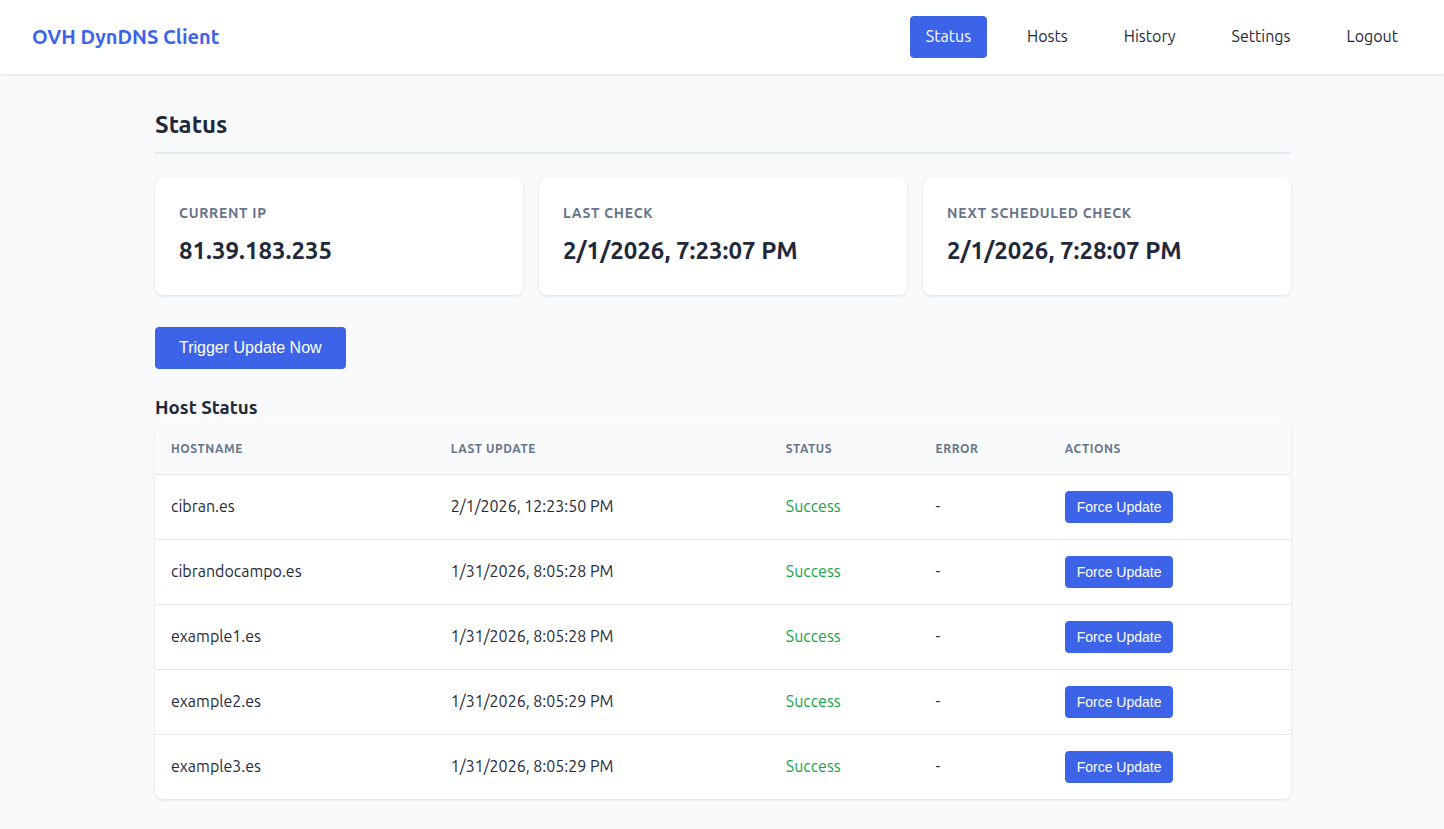
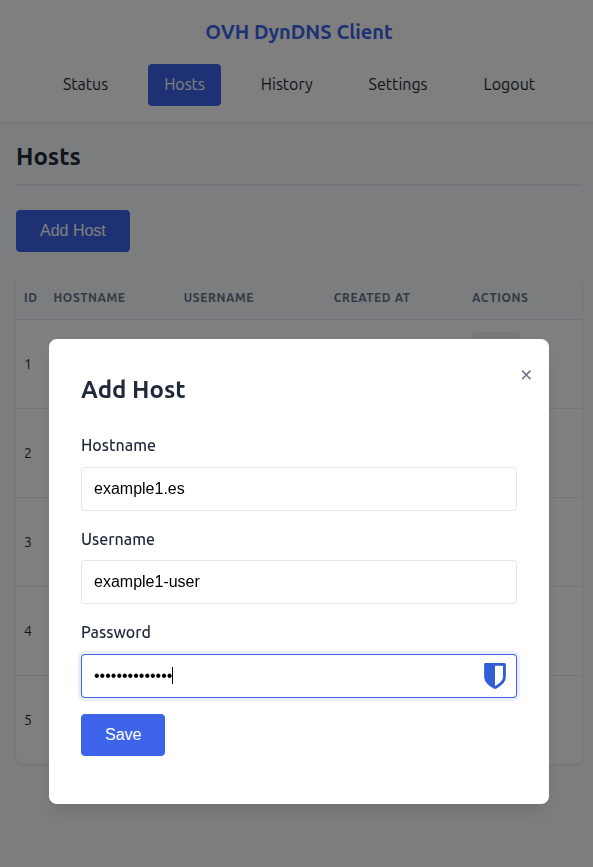
Each host corresponds to a DynHost entry in your OVH control panel. Add as many as you need — subdomains, multiple domains, different zones — each with its own OVH credentials. The client updates them all in parallel on every IP change.
Creating a host takes seconds: hostname, OVH username, and password. That is all the client needs to keep the record in sync. Hosts can be edited or removed at any time without restarting the service.
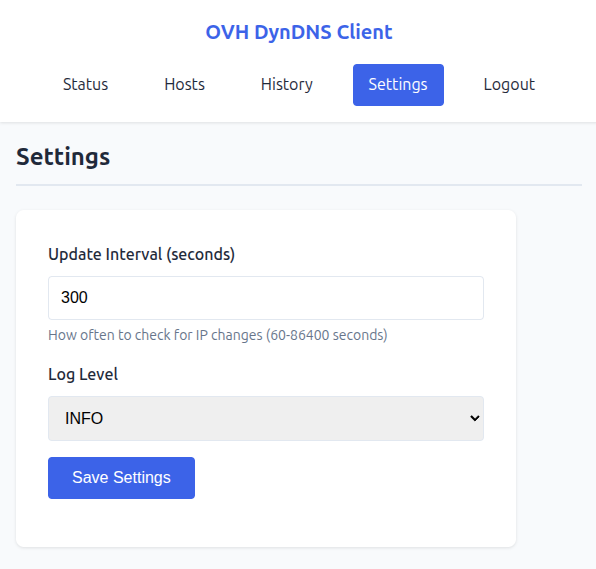
The check interval and log verbosity can be adjusted from the web interface at any time — no restart, no editing environment variables. Lower the interval if your IP changes frequently; raise it if you want to reduce external API calls.
Log level controls how much detail appears in the container logs, useful when troubleshooting a failed update or verifying that a specific host was reached.
- Web Interface — Manage hosts, view status and history from a browser
- REST API — Full-featured API with JWT authentication
- SQLite Database — Persistent storage, no external dependencies
- Auto-updates — Detects IP changes and updates DNS records automatically
- Auto-retry — Failed updates are retried on the next cycle
- Docker-ready — Multi-architecture support (amd64, arm64, arm/v7)
- Create
docker-compose.yaml:
services:
  ovh-dyndns-client:
    image: cibrandocampo/ovh-dyndns-client:stable
    container_name: ovh-dyndns-client
    restart: always
    environment:
      - JWT_SECRET=your-secret-key-min-32-chars-long!
    ports:
      - "8000:8000"
    volumes:
- ./data:/app/data- Run:
docker compose up -d- Access: Open http://localhost:8000
Default credentials: admin / admin (password change required on first login)
Every change goes through a CI pipeline (GitHub Actions) with no shortcuts:
- Lint: ruff check — enforces code style and catches common errors
- Format: ruff format — consistent formatting across the codebase
- Tests: pytest with a minimum 90% coverage gate enforced in CI
The Codecov badge at the top of this page reflects the current state.
Pre-built multi-arch images (linux/amd64, linux/arm64, linux/arm/v7) are published to Docker Hub automatically.
| Tag | When |
|---|---|
latest |
Every push to main |
stable + vX.Y.Z |
On GitHub release |
Images are also rebuilt weekly to pick up base-image and dependency security patches.
- API Reference — REST API endpoints and examples
- Configuration — Environment variables and settings
- Development — Architecture, dev setup, and Claude Code workflow
The development environment runs entirely inside Docker — no Python on the host. See docs/DEVELOPMENT.md for the full setup, including how to run tests, linters, and install the pre-commit hook.
This project is developed with Claude Code, Anthropic's AI coding assistant. Custom skills and commands are provided in .claude/ to maintain project conventions and support a structured dev workflow. See docs/DEVELOPMENT.md for details.
- Issues: GitHub Issues
- Email: hello@cibran.es
Released under the MIT License © 2022 Cibrán Docampo Piñeiro.
You are free to use, modify, distribute, and self-host this software — personally or commercially — as long as the original copyright notice is preserved. No warranty is provided.